
Remote podcast recording: how to get professional audio
Learn how to record a podcast remotely with clear audio, simple equipment and a reliable production workflow.
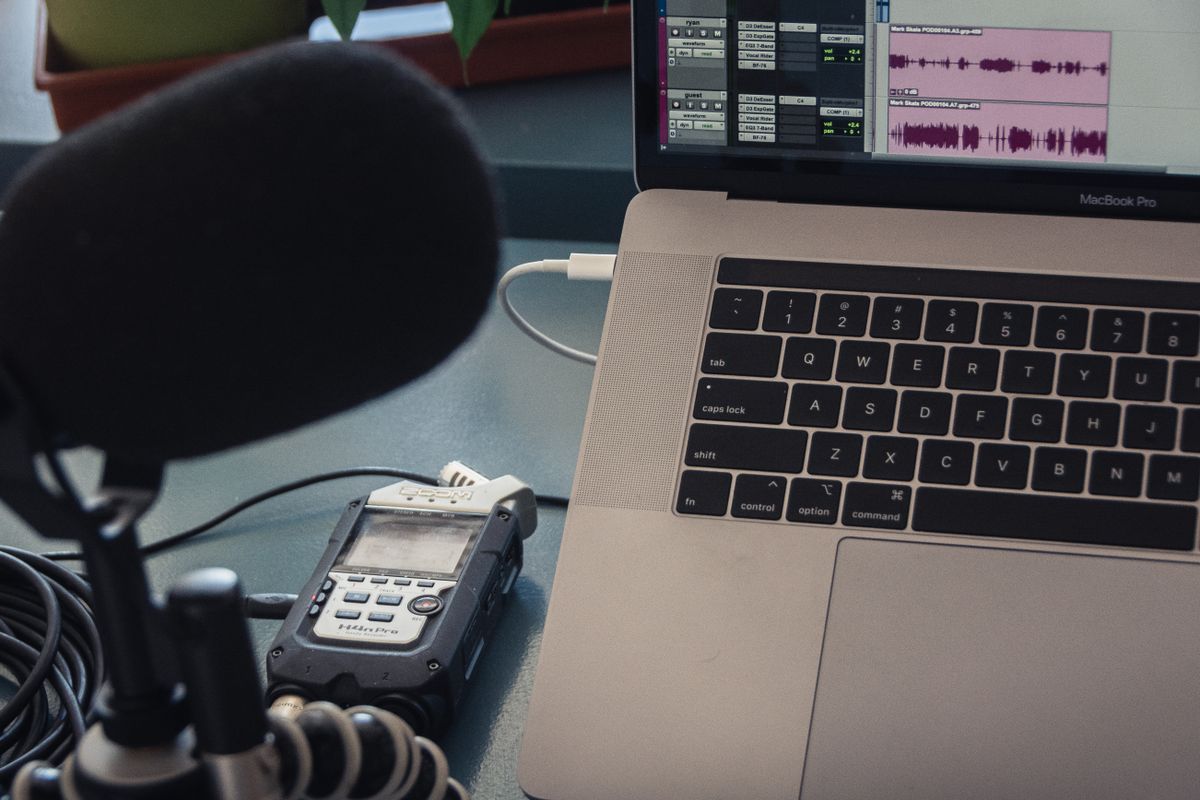
Start by designing for the listener
Production quality is not a contest to remove every breath or add the most elaborate sound design. Its purpose is to make the conversation comfortable to follow, easy to understand, and consistent with the show's promise. A listener should not have to work around distracting noise, wildly different volume, missing context, or an edit that makes a speaker sound careless. Define what quality means for the format before buying equipment or choosing a remote-recording service.
Separate the parts of quality the team can control from those it cannot. A guest may connect from a temporary office or use a modest microphone; the producer can still provide clear instructions, capture a local track where possible, monitor the call, and avoid unnecessary processing. A technically imperfect room does not automatically make a conversation unusable. The decision should consider the importance of the content, the severity of the issue, options for correction, and whether a transparent recording plan can prevent a repeat.
Create a short production standard that describes acceptable levels, recording format, file naming, backup, editing boundaries, and delivery assets. Include both audio and video expectations if the show uses them. Keep the standard practical and make it available to hosts, editors, and guests who need it. A standard is most useful when it resolves common questions before the session, not when it becomes a long technical document that no one reads.
Prepare the recording environment
The room often matters more than expensive equipment. A small, quiet space with soft furnishings can reduce echo; hard, empty rooms tend to make voices sound distant and reflective. Ask the speaker to close windows, silence notifications, and pause nearby appliances where practical. A fan or air conditioner may be necessary for comfort, so never ask someone to risk overheating or discomfort for a marginal audio gain. Listen to a short test and decide together whether the sound is acceptable.
For a remote conversation, provide simple microphone guidance. A USB microphone or a quality headset can work well when positioned consistently, while a laptop's built-in microphone may capture room noise and keyboard sounds. Encourage the speaker to use headphones to reduce audio leaking back into the microphone. Keep the mic a comfortable distance away and slightly off axis to reduce plosives. Avoid treating specific gear as a requirement if the guest cannot access it; a workable setup and a brief sound check often matter more.
Ask participants to use a stable connection and connect a few minutes early. Where the recording platform supports separate local tracks, enable them and verify that the files are being captured. Record a backup when the workflow permits and the participants understand what is being recorded. Make a short slate or test at the beginning so levels and names can be checked. Never assume a cloud indicator means that every required file exists; the producer should confirm after the session.
Run a calm, reliable session
Before recording, confirm each participant's name, preferred introduction, pronunciation, role, and consent. Explain the recording plan, session length, and how to ask for a pause. Remind speakers that they can take a moment to think and that a missed phrase can be repeated. This simple orientation reduces rushed answers and makes the recording easier to edit. It also reassures guests who have never joined a recorded interview.
The producer should monitor the conversation without competing with it. Watch connection quality, recording status, audio levels, and timing. If a problem appears, stop and explain it plainly rather than hoping it will disappear in post-production. Ask a speaker to repeat the last thought after an interruption, then leave a short pause so the editor can locate the clean take. Keep a note of timecodes and issues; a brief log can save substantial editing time later.
Record a little room tone or a quiet pause at the start if the editor uses it to smooth transitions. Ask participants not to speak over each other where possible, especially when remote connections introduce latency. The host can indicate whose turn is next and leave a beat before responding. Do not remove every overlap automatically; natural conversation can be engaging. The editor should preserve exchanges that add meaning and repair only the interruptions that impede understanding.
Edit for clarity and integrity
Begin with a clean copy of source media and keep the original files unchanged. Organize audio and video by episode, speaker, date, and version; back up according to the agreed retention policy. Record a concise edit log for significant changes. Editors should know which claims require verification, which portions are confidential, and what the guest was told about review. This context prevents a purely technical edit from accidentally changing the meaning of the conversation.
Prioritize intelligibility and consistent levels before decorative treatment. Reduce persistent noise carefully, control abrupt volume differences, remove clear distractions, and make transitions easy to follow. Noise reduction applied too aggressively can create metallic artifacts; compression can make a voice tiring if overused. Listen on more than one common device where practical, including headphones and a typical laptop or phone speaker. The aim is dependable clarity, not an artificial sound that draws attention to the processing.
Use edits to remove repetition, long dead air, and technical interruptions when they do not carry meaning. Preserve the speaker's qualifications, evidence, and natural phrasing. Do not stitch fragments to create a claim the guest did not make, and do not cut away a caveat simply because it complicates a marketing point. If an edit affects context, raise it with the editorial owner. A transcript can help review, but it does not replace listening for tone, timing, and unintended meaning.
Quality-check the complete package
Check the entire episode after the final export, not only the first and last minute. Confirm that there is no clipped audio, accidental silence, missing channel, mispronounced name, abrupt transition, or incorrect segment order. Verify that opening and closing elements are current and that music or effects are licensed for the intended use. Compare the export against the edit timeline and ensure the file is in the format expected by the publishing service.
Review companion materials as part of the same quality pass. Check episode title, description, links, transcript, captions, guest credits, image alternative text where relevant, and any promotional excerpt. Make sure a quote has not been shortened in a way that changes its meaning. Names and company references should be accurate, and disclosures should appear where required. Accessibility is not just a final compliance check; readable transcripts and accurate captions help people use the content in different environments.
Use a checklist with a named approver and a clear deadline. Keep factual review, legal review, and editorial approval distinct when their responsibilities differ. Reviewers should know what kind of feedback is expected and where to submit it. Consolidate comments into one version rather than sending an editor conflicting instructions in multiple messages. When a reviewer requests a change, identify the reason and decision owner so a minor preference does not trigger an endless revision loop.
Manage versions, rights, and security
Use a stable folder structure and predictable file names that distinguish raw recordings, working edits, review copies, approved masters, and promotional exports. Avoid placing sensitive guest information or unreleased recordings in public links. Grant access only to people who need the assets and remove access when a contractor's work ends. These habits reduce accidental sharing and make it easier to find the authoritative version later.
Confirm rights for music, stock footage, images, fonts, and any third-party materials used in an episode. Verify the terms cover the channels, territories, duration, and promotional uses the company expects. A license for an internal presentation may not cover a public podcast or paid advertisement. Keep the relevant permission record with the production materials. For guest contributions, use clear releases and explain whether excerpts, video, transcripts, or derivative materials may be reused.
Establish a retention plan for raw media and working files. Some organizations need to preserve source material for a defined period; others can delete it after approvals and the agreed correction window. Decide this before launch, document exceptions, and follow the company's privacy and security requirements. Avoid keeping extra copies indefinitely “just in case.” If an episode is corrected after publication, keep a record of what changed, when, and why, without exposing confidential notes publicly.
Build a workflow that scales
A reliable episode pipeline has a visible state for each handoff: scheduled, briefed, recorded, editing, factual review, approved, published, and measured. Assign an owner to every active stage and define what moves an episode forward. If an item is blocked, record the reason and next action. This makes capacity problems visible early and prevents the editor from being blamed for delays caused by a late guest biography or missing approval.
Estimate production time using the actual format. An hour of recorded conversation does not always take one hour to edit; complexity, audio condition, video, fact-checking, and revision policy all matter. Track cycle time over several episodes and adjust the calendar rather than relying on optimistic estimates. Use templates for repeatable tasks such as intros, exports, metadata, and delivery, while keeping editorial choices specific to the conversation.
Outsource selectively when specialized skill or capacity is missing. A good production partner should understand the editorial purpose, document its workflow, protect files, communicate blockers, and deliver source and final assets as agreed. The company should still retain strategic ownership and review factual accuracy. Avoid a handoff where the vendor is responsible for sound but receives no brief, no naming rules, and no contact for decisions. Clear collaboration is more valuable than adding another supplier to an already fragmented chain.
Improve through listening
Keep a short post-production review after early episodes. Ask what surprised the team, which technical issue repeated, what took longer than expected, and what feedback should influence the next recording. Change the process when a recurring problem appears. If remote guests consistently speak too quietly, update the preparation note and sound check. If editors repeatedly request missing pronunciations, add them to the guest form. Small improvements compound across a season.
Do not judge production by the amount of editing. Some formats benefit from a natural, lightly edited conversation; others need substantial structure and sound design. Evaluate the listener's ability to follow the content, the accuracy of the final product, and the team's ability to deliver it consistently. A shorter edit is not automatically better, and a highly polished edit is not necessarily more trustworthy.
Remote production can feel personal when the process is reliable and thoughtful. Clear instructions let speakers focus on what they know; careful editing respects what they said; and a dependable review process protects the audience from avoidable errors. Good production is largely invisible when it works. The listener experiences a clear conversation, while the team benefits from a system that makes the next episode easier to deliver well.